

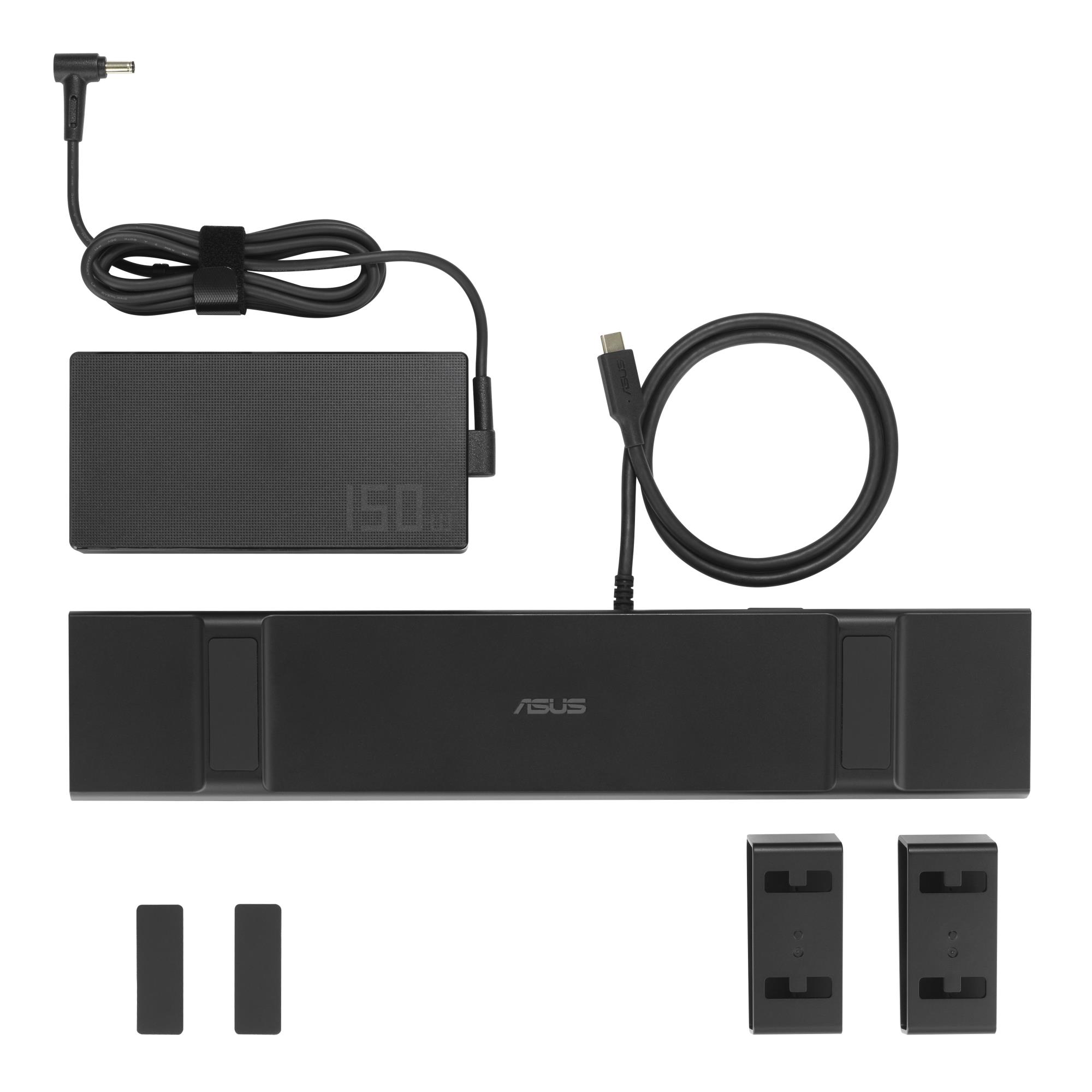
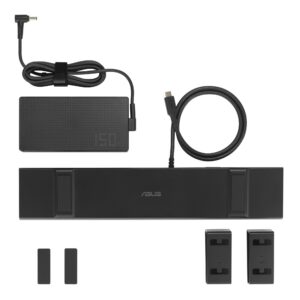
Asus Nb Usb-C Stand Dock Dc310 90Xb099N-Bds020
 Pay in three equal instalments 3 x 53.24€
159,71 €
ASUS USB-C Stand Dock DC310. Технология подключения: Проводная, Основной интерфейс: USB 3.2 Gen 2 (3.1 Gen 2) Type-C, USB Power Delivery до: 100 W. Скорость передачи данных Ethernet LAN: 10,1000,100 Мбит/с. Цвет товара: Черный, Скорость передачи данных: 10 Gbit/s, Тип HD: 4K Ultra HD. Тип источника питания: Постоянный ток, Источник питания: 150 W, Выходное напряжение: 20 V. Поддерживаемые операционные системы Windows: Windows 10, Windows 11
Описание
Elevated comfort, Enhanced productivity
ASUS USB-C Stand Dock is a sleek and ergonomic 10-in-1 docking station designed for enhanced productivity. It serves as an adjustable stand, elevating laptops to an ideal position for comfortable viewing. A pair of HDMI® ports help extend screens across two 4K 60Hz displays, while four high-speed USB Type-A ports, 100W of charging power, and additional connectivity options transform any setup into an extremely versatile workstation.
DESIGN
Ergonomic comfort
The ergonomic ASUS USB-C Stand Dock offers two adjustable elevated positions for comfortable viewing.
PRODUCTIVITY
Dual 4K visuals
Two HDMI 2.0 ports enable ASUS USB-C Stand Dock to support up to two 4K 60Hz displays for seamless, efficient multitasking.
CONNECTIVITY
Multi-device connections
A comprehensive array of ports makes it easy to keep essential devices connected. Four high-speed USB Type-A ports, a USB Type-C® port, and a Gigabit Ethernet port seamlessly link peripherals and networks for streamlined workflows.1
SPEED
Fast transfers, powerful charging
Experience up to 10Gbps data transfers with USB 3.2 Gen 2 technology for seamless and efficient workflows. With up to 100W power delivery, ASUS USB-C Stand Dock keeps any connected laptop powered and ready for uninterrupted productivity.
SMART CONTROL
One-button wake-up & IT Management
With ASUS USB-C Stand Dock, it takes just one tap to wake a laptop and all connected displays — because the dock’s power button precisely mimics that of the laptop2. It also enables IT departments to remotely wake laptops that are in standby mode to apply updates and more, helping speed up routine admin and maintenance tasks.
One-button wake up
Pressing the dock’s power button wakes up the laptop and connected monitors.
Remote IT management
Wake-on-LAN (WoL), MAC Address Pass Through, and PXE can be enabled through the DC310 LAN port to allow easy remote device management.
Transfer speed bar chart: The data is theoretical and the actual transfer speed may vary depending on the usage scenario and the equipment used.
The power button feature only supports full laptop power control when connected to ASUS Commercial B series laptops. For other models, the button functions only to turn connected displays on or off.
Общие характеристики
ASUS
https://www.asus.com/accessories/docks-dongles-and-cable/asus-docks-dongles-and-cable/asus-usb-c-stand-dock-dc310/
Черный
Другое
1.38
Детали
| Вес | 1,380 кг |
|---|---|
| Габариты | 35,00 × 12,50 × 7,50 см |
| Бренд | |
| Цвет |
Сопутствующие товары
Pay in three equal instalments 3 x 6.94€
Pay in three equal instalments 3 x 6.80€

Pay in three equal instalments 3 x 8.32€
Pay in three equal instalments 3 x 5.49€

Pay in three equal instalments 3 x 8.45€
Asus Nb Usb-C Stand Dock Dc310 90Xb099N-Bds020
159,71 €